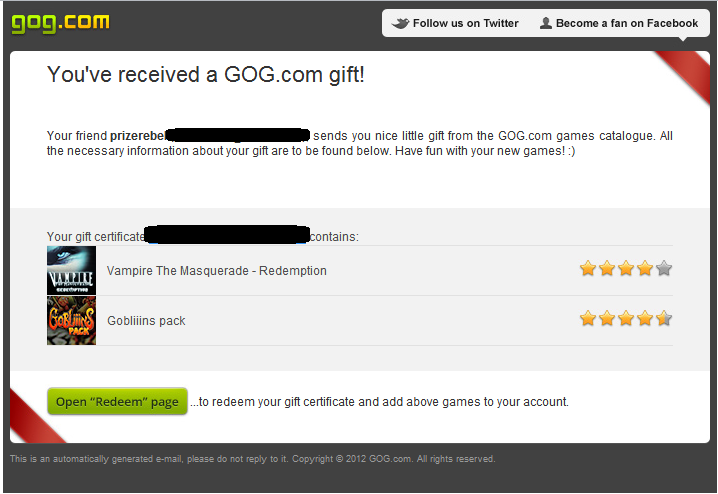
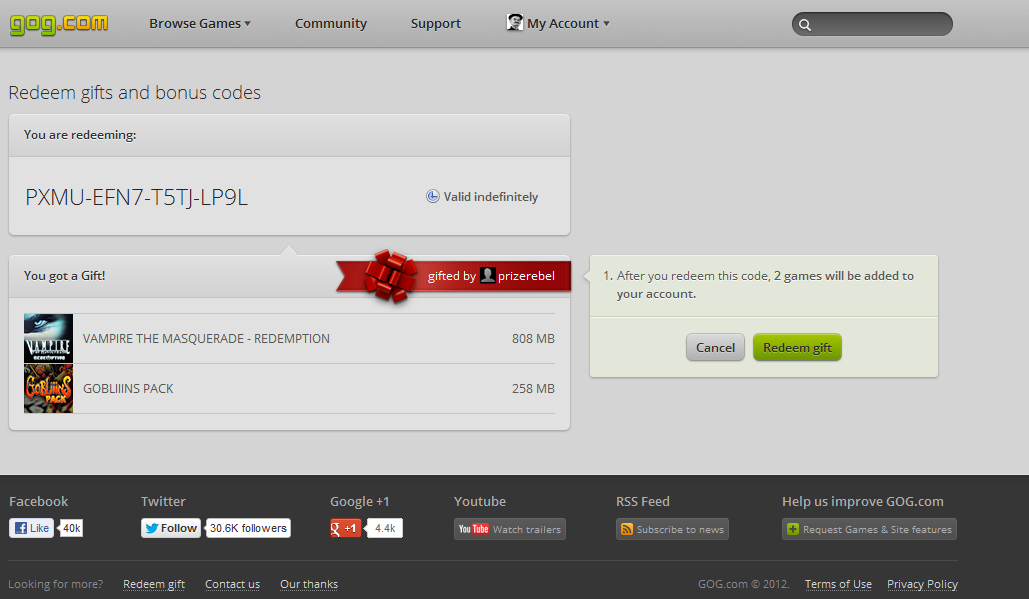
Okay so what do I do?
All right, well while I figured you found the game(s) you want, right? Good. Now for the purpose of this exercise we will be going for Vampire the Masqurade: Redemption and Goblins Pack which is Gobliiins 1-3, now both games are 5.99 a piece so together that comes to 11.98 total.
Wait didn't you say this is free? Yes I did and it is free but do you really expect to be handed the games for nothing? No here's how it works, you sign up here
and then complete some offers,survey's or do some daily tasks these(daily tasks) are hit or miss if you ask me they range from just searching a few keywords on Google or Bing and answer a few questions based on the results to sorting twitter accounts or even doing some typing. Offers on the other hand tend to be a bit less annoying at least for me, they can be anything from just entering your email to signing up for a free coupon or whatever, surveys are just that just fill in some generic info like date of birth, income range and race and answer some questions concerning anything from stores to a the latest upcoming game. Again I'm not going to lie and say this is always easy or your guaranteed to get points for doing them everytime but if you stick with it you will get credited for more often for offers once you learn a few tricks such as using new emails, clearing your browsers cookies and cache and whatnot. Surveys always credit and most can be done once per day
Now for the purpose of this were going to do a easy offer once your all signed up go to free offers and look for Cheapflights CPC this is a real easy offer that can be done once per day, the trade off is you don't get much for it 0.05 or 5 cents in actual dollars. Most offers aren't this low paying and can range from anywhere from 1 to 2 points(dollars) to 15 points(15 cents) now don't let point amount fool you just because a offer has a higher point amount doesn't always mean it's harder to get credit from, nor is the opposite is true I have done offers that are 2 points that credit easily while I have done offers that are 0.03 points that are nothing more then watching a video or liking a facebook page that never credited. It all depends.
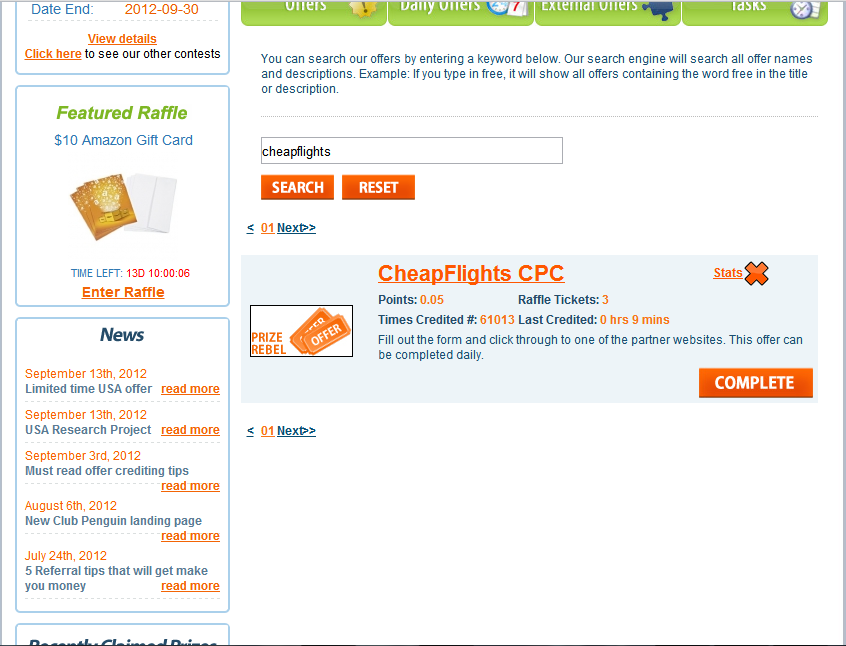
Anyway so click on the offer and you will be brought to a page that looks like this:
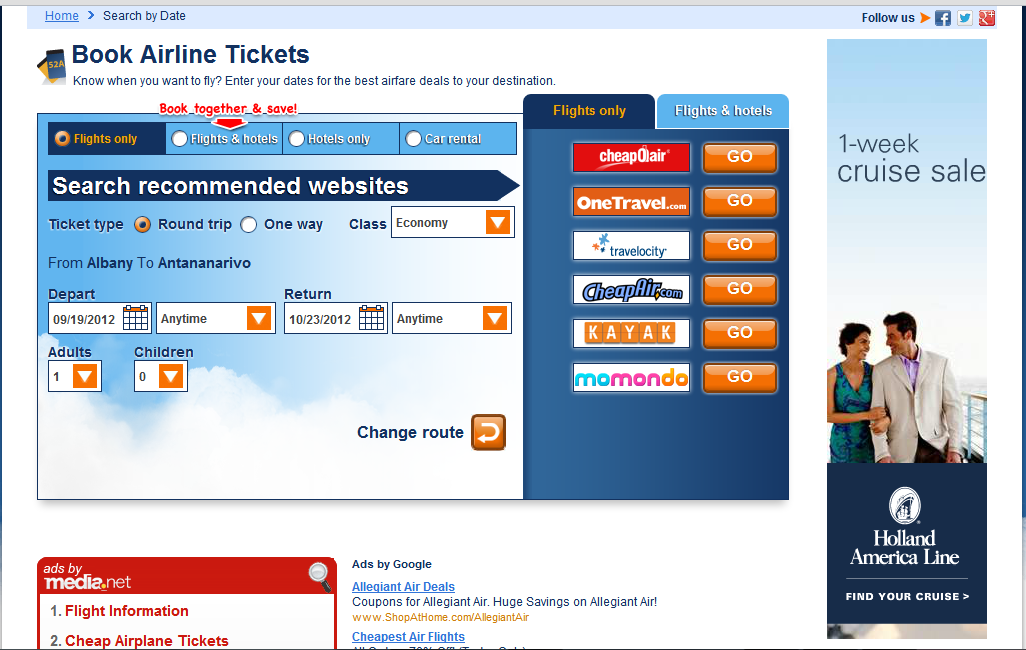
Just fill in a flight date and a return date and a location you want to go from and a destination and then you should see a bunch of other sites listed on the side such as Priceline just click anyone of them and click back to the main site(the one we signed up on) and in 5 to 15 minutes we should see a little pop-up in the corner telling up we just been credited for a offer and 0.05 points added to our balance.
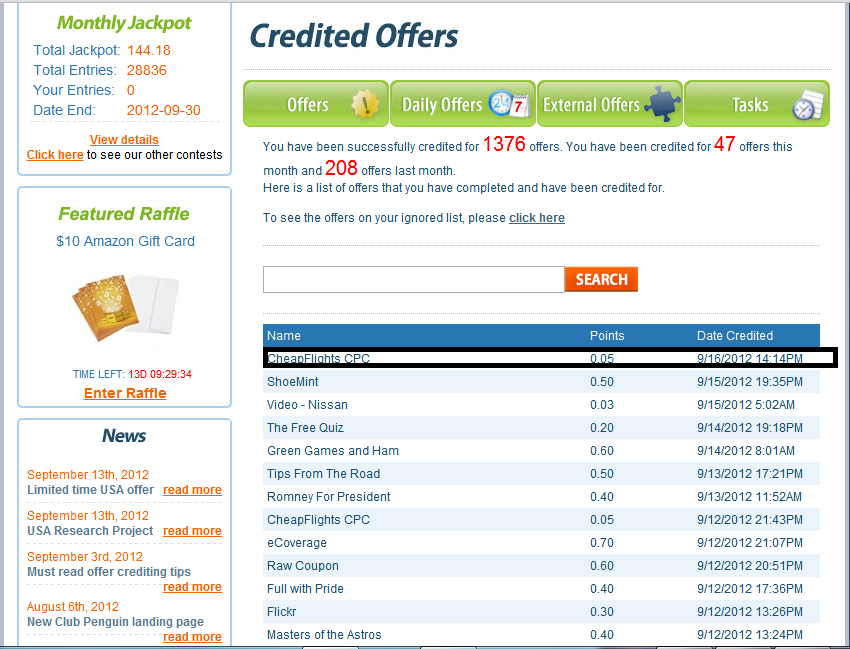
See that wasn't so bad but again as I said not all offers are this easy but if you follow directions and take these extra steps you should be able to get the majority of offers to credit and before you know it you will have the points for the item you so desire.
So what are these steps? Well first is make a new email this can be anything from Yahoo, Hotmail/Live, Mail.com, AOL, Gmail, ect. so long as it's not a 5 to 10 minute temporary email never and I do mean ever use those you can and will lose points or worse be banned for it. Also I have noticed some offers have a better chance of crediting using certain email providers like AOL or Gmail while others work better with Yahoo and Mail.com feel free to experiment and see what ones work better with what kinds of offers.
Also keep in mind that you can only make so many emails per day,week or month at these places for example Yahoo will block you from making a new email after 15 or so per day after that you have to wait one full day, while Gmail will start asking for a cell phone number to send a verification pin too this can be circumvented by using Pinger Text Free which gives you a free online SMS text message number.
Another step is to clear your browser history and cache this can be done through your browser settings, also I recommend using Google Chrome as I tend to have a better rate of credit using that then I do using Firefox, I.E., Opera or Safari for Windows. Firefox is useful for most download offers though.
Speaking of download offers, if you do ever do one of these use Sandboxie this will keep any unwanted Adware off your main computer as it will install them into a special temporary "sandboxed" version of your HDD.
Also keep track of certain offers as they often are apart of the same "family" or if you perfer the same advertiser you can usually tell because the offers while having diffrent names and urls have similar looking pages so if a crediting tatic works on one it may work on a similar one but also bear in mind alot of these have a credit limit, meaning they will credit a set IP only so often in a given day or will only credit X amount of people per day these usually reset around 12 AM
Also if your not comfortable giving out your home phone number or your cell just create a free Google voice number this is acceptable and you wont get banned for using one since it is your own personal voice mail number and no you don't have to give your cell number for those "enter your cell number here for free whatevers" things you may see when doing offers those can be skipped just look around for a link that says Skip it's there.
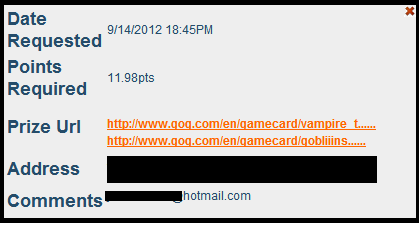
Okay I think that about covers the basics now let's say you got the required points now let's order our prize. So first we go to GOG.com and find our games, just type the name of the game you want in the search box or browse through the list till you find it/them, then we click on them and we are brought to the the store page for said title. Now just highlight and copy and the URL at the top now go to the prize site and click prizes and choose custom order from the list, now choose "Other website" from the Merchant list, yes you can also order Steam games.
Now in Item URL put the url we just copied from GOG and put the cost of the item in the appropriate box, now until you reach GOLD level or higher you orders must be worth 5 points or above don't worry you can add more then one item so long as it's from the same site your initial prize is from, you can reach GOLD or higher by doing offers or referring users, once your Gold you can order prizes worth 3 points.
Then in the comment section put a email address you want the gift code for the game to be sent, all in all it should look something like this:
Now just sit back and wait 0-3 days depending on how many other orders are ahead of yours, keep in mind that custom orders are done on a first come,first serve basis. You know it's been approved when you see the points docked from your account and the order's status is changed to "approved" in your prize claim history, now just go to the email you had the gift code sent too, it should say something like "your freind has sent you a copy of <game name here> on GOG.com and copy the code and click the Open Redeem Page button now you will be brought too a page with a box paste the code into the box and click or hit enter and whola you now have the game(s) on your account just go to your game library and click on the box to download the installer and enjoy your free game(s)